Download Form 16 FY 2025-26 Excel Format Free
Form 16 is a TDS (Tax Deducted at Source) certificate issued by an employer under Section 203 of the Income Tax Act, 1961. It outlines the salary details paid to an employee, the deductions allowed under different tax chapters, and the final tax deducted from salary payments. For salaried individuals, this document is vital to reconcile tax deposits and accurately file their Annual Income Tax Returns (ITR).
Typically, employers issue Form 16 annually after the close of the financial year, usually by June 15. The employee can verify these deductions against their Form 26AS statement and copy the relevant figures directly into ITR portals. This comprehensive article covers every detail about Form 16 for FY 2025-26, including the differences between tax regimes, explanation of Part A and B, a step-by-step preparation guide, and downloadable Excel templates.
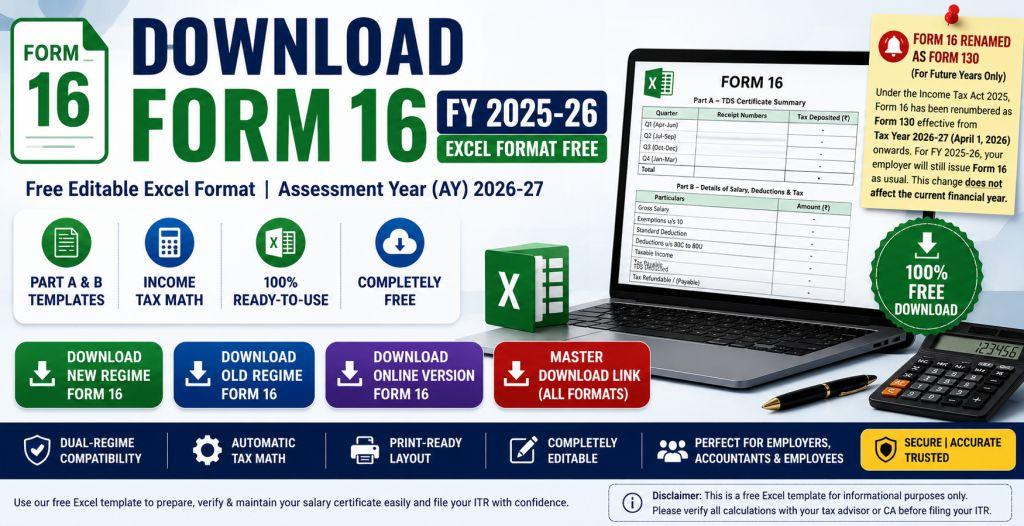
Note on Rebranding: Effective from Tax Year 2026-27 (covering income earned from April 1, 2026, onwards), the Income Tax Act 2025 has renumbered Form 16 as Form 130. However, this change is strictly applicable for future years. For the current Financial Year 2025-26 (Assessment Year 2026-27), employers will continue to issue the standard Form 16 as usual. Salaried taxpayers will not be affected by this change during the current tax filing season.
What is Form 16 for FY 2025-26?
Form 16 functions as a certificate of salary income and tax deduction. Under the Indian income tax rules, any employer who pays taxable salary to an employee must deduct tax at source (TDS) at the applicable slab rates. Once the financial year ends, the employer compiles all monthly deductions, files a quarterly TDS return (Form 24Q), and issues Form 16 to the employee as proof of the tax collected and deposited with the income tax department.
Form 16 is divided into two distinct components: Part A and Part B. While Part A is generated and downloaded through the government's TRACES portal, Part B is prepared by the employer using payroll details. Together, they form a complete record of the employee's earnings, tax-exempt allowances, eligible deductions, and total tax calculations.
Download Form 16 FY 2025-26 Excel
Free Editable Excel Format | AY 2026-27
To assist taxpayers in checking tax deductions and maintaining offline records, we have provided completely free, fully functional, and editable Form 16 Excel templates for both the Old Tax Regime and New Tax Regime. Employers can utilize these formats to generate salary certificates in bulk, and employees can use them to audit their employer's tax calculations before filing their ITR.
These templates are updated for Assessment Year (AY) 2026-27 corresponding to Financial Year (FY) 2025-26, incorporating all standard rebates, deductions, and tax slab calculations under both tax pathways.
Features of Form 16 Excel Template
Our editable Form 16 Excel sheet is designed with advanced spreadsheet features to simplify your tax estimation process. Notable features include:
- Dual-Regime Compatibility: Separately designed sheets for Old and New regimes, letting you analyze which path offers lower tax liabilities.
- Automatic Tax Math: Input your salary details, and the built-in formulas calculate standard deduction, HRA exemption, tax slabs, health & education cess (4%), and Section 87A rebate instantly.
- Print-Ready Layout: Formatted to fit standard A4 paper size, facilitating clean PDF generation or physical printouts.
- Completely Editable: Free from password protection, enabling modification of company/employee names, PAN/TAN, and custom salary headers.
Form 16 Part A and Part B Explained
Form 16 is structured into two main components that contain different sets of details:
1. Part A (TDS Summary)
Part A acts as a summary of the tax deducted by the employer from your salary income and deposited into the government treasury. It includes:
- Legal name and official address of the employer and employee.
- Tax Deduction Account Number (TAN) and PAN of the employer.
- Permanent Account Number (PAN) of the employee.
- Quarterly break-up of salary paid and TDS deducted.
- Unique Challan Identification Numbers (CIN) of tax deposits.
2. Part B (Salary & Deduction Break-up)
Part B is prepared by the employer and contains a comprehensive computation of your taxable income and deductions. It includes:
- Gross salary structure (Basic, HRA, allowances, perquisites, and profits in lieu of salary).
- Exempt allowances under Section 10 (HRA, LTA, children education allowance, etc.).
- Standard deduction (Rs. 75,000 for FY 2025-26 under both regimes).
- Deductions claimed under Chapter VI-A (Section 80C, 80D, 80G, etc., applicable under the Old Regime).
- Total taxable income and net tax liability.
How to Use Form 16 Excel Format?
Using the Excel template to prepare or verify your Form 16 is simple. Follow these steps:
- Download the relevant regime template (Old or New) from our download box above.
- Fill in the header details including Employer Name, Employee Name, PAN, and TAN numbers.
- Under Part B, fill in your Gross Salary components in the highlighted input cells.
- Enter any exempt allowances, such as House Rent Allowance (HRA) or travel allowances, in the Section 10 area.
- If using the Old Regime, enter your tax savings investments (LIC, PPF, NPS, Mediclaim) under Chapter VI-A.
- The sheet will dynamically output your Net Taxable Income, calculated tax slabs, cess, and final tax payable/refundable.
Benefits of Downloading Form 16 in Excel
Maintaining your salary certificate in an Excel file offers unique advantages over a hard PDF format:
- Offline Computation: Calculate and audit tax figures without sharing sensitive financial details on external web apps.
- Scenario Testing: Easily toggle values (such as adding hypothetical deductions) to determine how they impact your final tax bracket.
- Bulk Processing: HR managers and small businesses can duplicate sheets to generate Form 16s for multiple employees simultaneously.
- Audit Check: Verify that the TDS credit showing in your Form 26AS matches the calculations shown in your Form 16.
Form 16 for Income Tax Return Filing
For salaried individuals, Form 16 is the single most important source document to file your ITR. The figures in Part B of your Form 16 map directly to the fields in ITR-1 (Sahaj). By keeping the Form 16 Excel open alongside the e-filing portal, you can easily copy over gross salary, standard deduction, exempted allowances, and Section 80C details. Remember, you must cross-check these values with your Annual Information Statement (AIS) and Form 26AS to ensure no tax credit discrepancy exists.
Form 16 Format for Government Employees
Government employees in Rajasthan and other states have unique deductions and allowances structured in their salary slips. Our Excel template accommodates government employee salary structures including State Insurance (SI), General Provident Fund (GPF), Hitkari Nidhi, NPS deductions, and special allowances. Utilizing this template helps government DDOs to compile and issue error-free Form 16s quickly.
Difference Between Form 16, Form 16A and Form 16B
| Particulars | Form 16 | Form 16A | Form 16B |
|---|---|---|---|
| Description | TDS certificate for salary income | TDS certificate for non-salary income (interest, rent, commission) | TDS certificate for property purchase u/s 194-IA |
| Who Issues It | Employer | Financial Institutions / Payer | Buyer of Property |
| Income Covered | Salary Income | Other Income | Sale of immovable property |
| Frequency | Annually | Quarterly | Per transaction |
Difference between Form 16 and Form 26AS
| Grounds of Difference | Form 16 | Form 26AS |
|---|---|---|
| Meaning | TDS certificate with salary breakup | Consolidated tax credit statement |
| Issuer | Employer | Income Tax Department |
| Importance | Handy for ITR filing but not mandatory | Crucial to verify tax credit |
Frequently Asked Questions (FAQs)
How to get Form 16?
Form 16 is generated and provided by your employer. They download it from the TRACES portal, sign it digitally, and distribute it to employees, usually by June 15 following the end of the financial year.
Can I file my ITR without Form 16?
Yes, you can file your ITR without Form 16 by compiling your monthly salary slips, computing total taxable salary, standard deduction, HRA, and checking the tax credit details reflected in Form 26AS and AIS.
Is Form 16 compulsory for every employee?
Form 16 is compulsory if your employer has deducted TDS from your salary. If no TDS was deducted, the employer is not legally bound to issue Form 16, though many still do as a best practice.
What is the penalty for not furnishing Form 16 by the employer?
Under Section 272A(2)(g) of the Income Tax Act, if an employer fails to issue Form 16 by the due date (usually June 15), a penalty of Rs. 100 per day is leviable for the period of delay.
Is Form 16 and salary slip the same?
No. A salary slip is issued monthly detailing that month's earnings and deductions. Form 16 is an annual certificate issued once a year consolidating your salary, exemptions, deductions, and total TDS.
What if HRA is not provided in Form 16?
If you forgot to submit rent receipts to your employer, HRA exemption will not show in Form 16. However, you can still claim the HRA exemption directly while filing your ITR, provided you have the rent agreements and rent receipts.